USB flash drives indeed stay useful for keeping files. This is true even with newer cloud storage and bigger external drives. They’re portable and offer speedy data transfer. Plus, you can get to your files without internet! This makes flash drives handy for saving vital files, moving data around, or taking key records with you. They are small and sturdy, which keeps them a good pick for different personal and work needs.
What Factors to Consider When Choosing a USB Flash Drive?
1. Storage Capacity
Determine how much data you need to store or transfer regularly. USB flash drives come in various capacities, from a few gigabytes to multiple terabytes. Choose a capacity that suits your needs without overpaying for excess storage.
2. Data Transfer Speed
USB flash drives have different data transfer speeds, typically categorised by USB standards like USB 2.0, USB 3.0, USB 3.1, and USB 3.2. Higher USB standards offer faster data transfer rates.
3. Use Case
Consider your intended use for the flash drive. If it’s for basic document storage or occasional file transfers, a standard-speed drive may suffice. For tasks like running applications, video editing, or gaming, choose one with faster data transfer speeds.

4. Device Compatibility
Make sure that the USB flash drive is compatible with your devices before purchasing. Check the USB standard supported by your computer, laptop, or other devices to ensure optimal performance.
5. Budget
USB flash drives vary in price based on capacity and speed. Determining a budget that aligns with your needs and prioritises features accordingly.
6. Security Features
Some USB flash drives come with built-in security features like password protection and encryption. If you need to safeguard sensitive data, consider a drive with these security features.
Are there Specific USB Flash Drive Types to Consider?
1. USB 3.0
USB 3.0 is an older but still widely used standard that offers faster data transfer speeds compared to USB 2.0. It is even backward compatible with other USB 2.0 ports. USB 3.0 drives are suitable for general file storage and transfer.
2. USB 3.1
USB 3.1 is an updated standard that provides even faster data transfer rates compared to USB 3.0. It is ideal for tasks that require quick file transfers or running applications directly from the drive. USB 3.1 drives are backward compatible with USB 3.0 and USB 2.0 ports.
3. USB 3.2
USB 3.2 is the latest USB standard and offers further improvements in data transfer speed. It includes two variations: USB 3.0 and USB 3.1. USB 3.2 drives are the fastest among these standards and are suitable for demanding tasks.
4. USB-C
USB-C is a connector type rather than a USB standard, but it’s worth mentioning. USB-C flash drives feature a USB-C connector, which is becoming more common on laptops, smartphones, and tablets. They offer fast data transfer speeds and are compatible with USB-C ports.
Read More:- Empowering Women With The Latest Samsung Smart Watch
What are the Advantages of USB Flash Drives with larger capacities?
1. More Storage Space
Larger-capacity drives provide ample storage space for a wide range of files, including documents, photos, videos, and applications. This is particularly useful for users who need to carry extensive data with them.
2. Backup and Data Security
You can use a larger USB flash drive to create backups of important files, ensuring that your data is safe and easily accessible. It’s also useful for keeping sensitive data offline for added security.
3. Large File Transfer
When you frequently transfer large files, such as video projects, software installations, or high-resolution images, a larger capacity flash drive speeds up the process and minimises the need to split files across multiple drives.
4. Portable Software and Applications
Some users carry portable applications, like office suites or antivirus tools, on their flash drives. Larger capacity drives can accommodate a wider range of applications, making them versatile tools for on-the-go computing.
5. Enhanced Durability
Some high-capacity flash drives are designed with rugged features, making them suitable for outdoor or challenging environments. These drives can withstand water, dust, and physical shocks.
Which USB Flash Drives to Invest in 2023?
Samsung USB flash drives are a top choice due to their exceptional reliability, speed, and versatility. These drives are engineered with cutting-edge technology, ensuring fast data transfer rates and compatibility with various devices. Here are some of the best USB Flash Drives by Samsung to purchase in 2023-
1. Duo Plus USB Type-C Flash Drive(2020)- 256GB
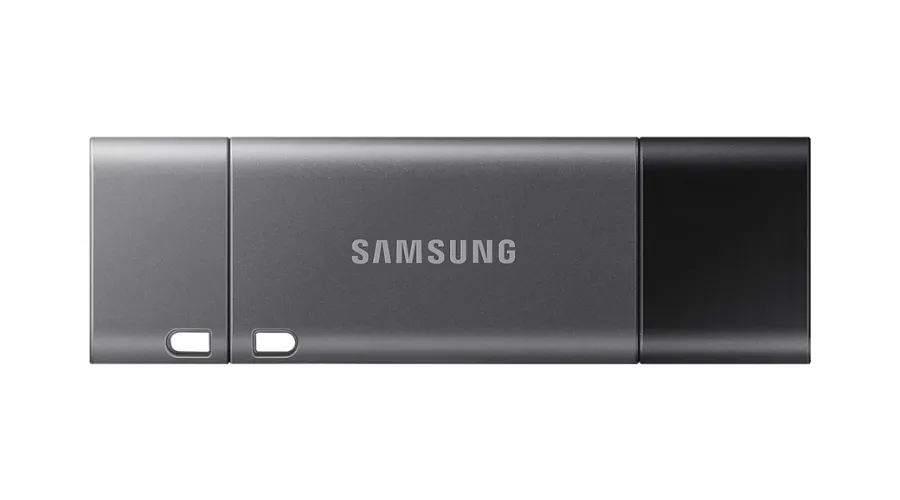
This Duo Plus USB Flash Drive with a Type-C drive features an intuitive integrated Type-A adapter that effortlessly works with older devices. Enjoy superior speed and performance while transferring data and freeing up space. Because of the latest USB Type-C technology, plugging in the DUO Plus is always hassle-free, no flipping or fumbling is required. Transfer large files seamlessly to your Type-C smartphones, tablet PCs, and laptops.
2. USB Flash Drive Type-C 256GB
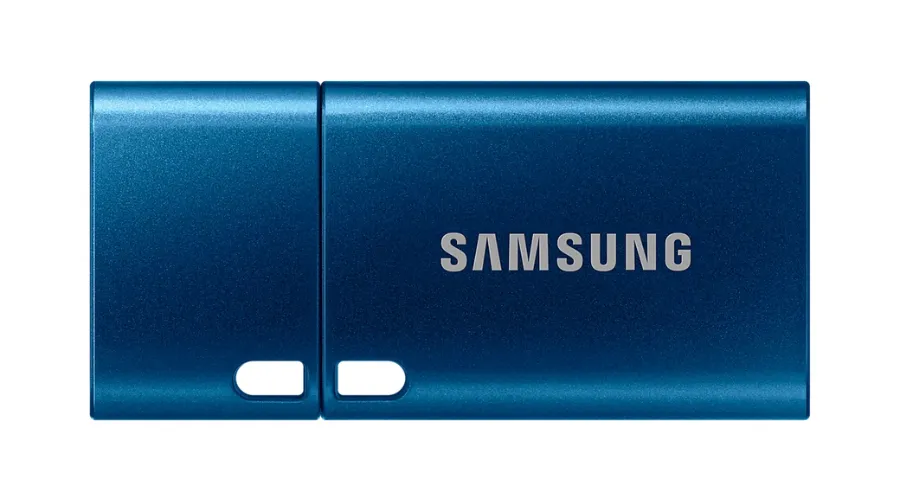
Boasting rapid read speeds of up to 400MB/s, this USB flash drive combines high performance with an ultra-sleek and ergonomically designed Type-C connector. It also incorporates robust 5-proof technology, ensuring durability and reliability in challenging conditions, making it a versatile and dependable choice for data storage and transfer needs. This 256GB drive is available at Samsung’s official website to purchase right away.
3. Bar Plus 128GB USB 3.1 Flash Drive in Silver
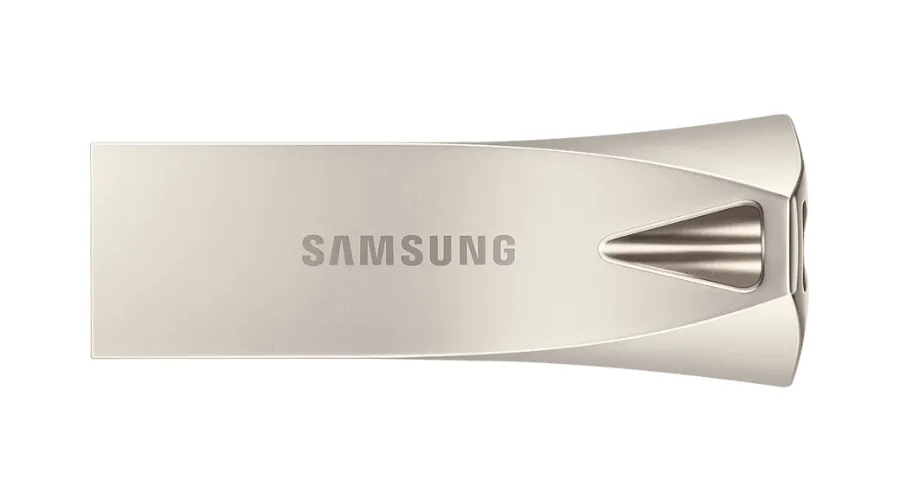
The Bar Plus reimagines the classic flash drive for the modern era, combining impressive speed and a striking design that elevates it to an everyday essential. Its streamlined metal unibody design seamlessly blends style, speed, and reliability. With lightning-fast read speeds of up to 300 MB per second using the latest USB 3.1 standard, it gives you the gift of time, allowing you to work, play, watch, and create with ease.
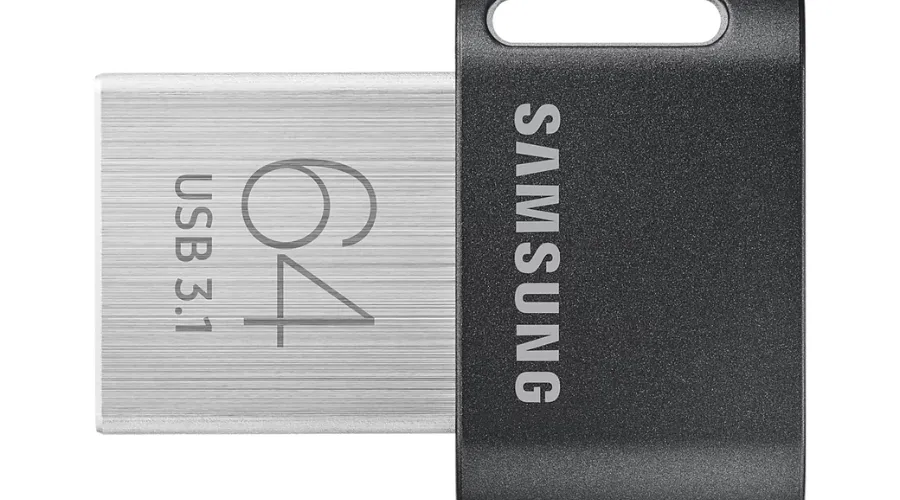
4. Fit Plus USB 3.1 Flash Drive (2020) 64GB
The FIT Plus offers a compact solution for expanding your device’s storage capacity. It seamlessly adds extra storage space, all while staying unobtrusive and ready to carry your files wherever you go. With USB 3.1 speeds and trusted reliability, it ensures quick access to your data. Its minimal profile is designed for portability, making it perfect for laptops, smart TVs, and cars, with reduced risk of accidental bumps or removal.

Also Read: All About Samsung Portable SSD T7 For Your Device’s Storage
Conclusion
In conclusion, USB flash drives have evolved into versatile, high-capacity storage devices that offer speed, security, and convenience for various applications. With different types, capacities, and features available, there’s a USB flash drive to suit every need, whether it’s for everyday file storage, data backups, or transferring large multimedia files. And, Samsung being such a renowned brand, clearly offers the best products for customers to purchase, with higher storage capacities. For more information, visit Findwyse.