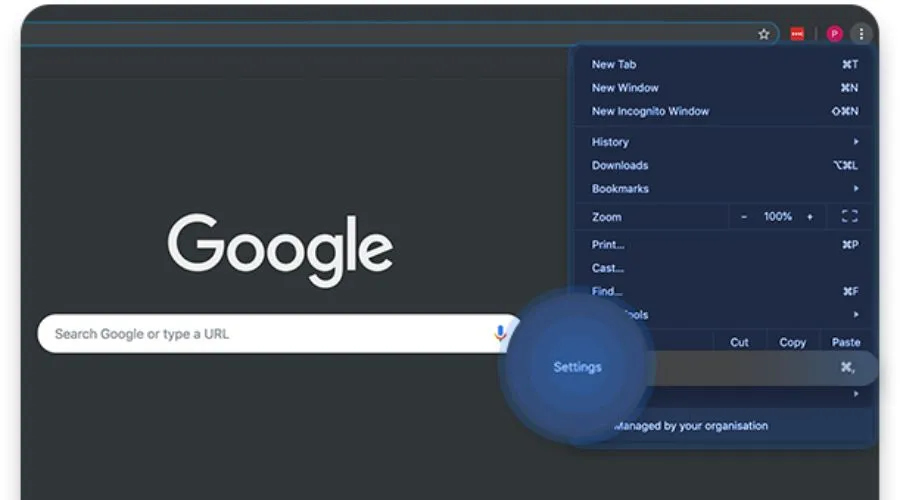
The internet, a vast ocean of information, isn’t always freely accessible in all corners of the world. Certain websites and even entire platforms like Google Chrome might be restricted in specific regions due to various factors. This can be frustrating for users seeking information or wanting to access their preferred web tools- which is why you need to unblock Google Chrome. VPNs offer a way to circumvent restrictions and potentially access blocked websites like Google Chrome. Let’s take a look at how this happens-
Why Do You Need To Unblock Google Chrome?
Accessing certain websites, including Google in some regions, can be restricted based on your location. This is like having to follow the rules of the country you’re in, even online. The same is tracked through your device’s IP address.
VPNs are useful in this situation. They redirect your internet traffic via a remote server, much like a hidden tunnel. This makes it seem as if you are accessing the web from a different place by masking your IP address with the server’s. If your area blocks access to certain websites, this “virtual relocation” will allow you to view them nevertheless.
Not just that, however! By encrypting your data transmissions while you’re online, VPNs further increase security. This is of utmost importance while using public Wi-Fi networks, since they may not adequately protect your information.
Why Do You Need To Unblock Google Chrome in Some Countries?
Censorship and Control
Some governments use internet censorship to control the information their citizens can access. They might view Google as a threat to their power or disagree with content allowed by the platform. They may block access to Google Search entirely, or filter specific search results deemed sensitive or critical of the government. China, for instance, has banned the browser completely. If you have to travel to the country, you will need a VPN to unblock Google Chrome.
National Security Concerns
Several nations have raised issues about national security and data privacy. They may think that Google, as an American corporation, may be influenced by the US government and would share user data with them. This may result in limitations or prohibitions on Google services to protect national security interests. Google itself has restricted its services in some conflicted regions such as Iran, Syria, Sudan, Cuba, North Korea, and Crimea.
Protectionism and Domestic Alternatives
Some countries want to promote their own domestic technology companies and internet platforms. They might restrict access to Google or other international services to encourage citizens to use local alternatives, potentially promoting economic growth and fostering the development of their own tech sector.
Technical Limitations and Infrastructure
Some underdeveloped nations may face challenges due to insufficient internet infrastructure or bandwidth limitations, hindering mass access to Google and its services. Ensuring dependable internet access and infrastructure may be a major obstacle for certain areas due to the associated expenses.
How Can VPNs unblock Google Chrome?
Hidden Location
Using a VPN masks your actual geographic location on the internet by assigning you a new IP address associated with a remote server router operated by your VPN provider. This creates an illusion that the device you are browsing the internet from is of a different region, effectively circumventing and removing all or any restrictions imposed by the websites or the applications based on your actual physical location.
Unlocking Content From Restricted Regions
Sometimes, websites are only available in certain countries. These are also applicable to many free view streaming platforms, which, for instance, might work in the US, but not be available in a country, say, India. A VPN lets you access websites that, otherwise, might be blocked in your area.
Safer Browsing
A VPN acts like a secret code for your internet traffic, making it impossible for anyone snooping on a network, like public Wi-Fi to see what you’re doing online. This keeps your information private and secure, especially when you’re using Wi-Fi that you don’t trust.
Reaching Blocked Content
Some governments or internet providers may impose restrictions on access to certain websites. A VPN functions as a tunnel that circumvents these limitations, enabling you to access the desired information.
Extra Privacy Shield
A VPN conceals your IP address and encrypts your data, increasing the difficulty for websites, advertising, or your internet service provider to monitor your online behaviour. This provides tranquillity and enhances the confidentiality of your online endeavours.
How to unblock Google Chrome with NordVPN
- Sign up for NordVPN- Choose a plan that fits your needs.
- Log in and Pick a Place- You’ll see a map and a list of countries you can connect to with the VPN. Just click on a country or choose one from the list
- Get Connected-: Click on the country or server you want and hit the “Connect” button to start using the VPN.
- Once the NordVPN connection is established, launch your Google Chrome browser. Websites, including Google, will now detect your location as the one linked to the NordVPN server you are connecting to. This will connect you to the internet through a server in that chosen country, hiding your actual location by masking your IP address.
Conclusion
Using VPNs might potentially help you escape limitations to unblock Google Chrome in certain locations, but it is important to approach this matter with prudence and comprehensive knowledge. NordVPN offers a vast global server network, providing users with the ability to choose a server location that best suits their requirements. They use robust encryption techniques to safeguard your internet connection, guaranteeing privacy and security throughout surfing. For more information on how to unblock Google Chrome with NordVPN, visit Findwyse.