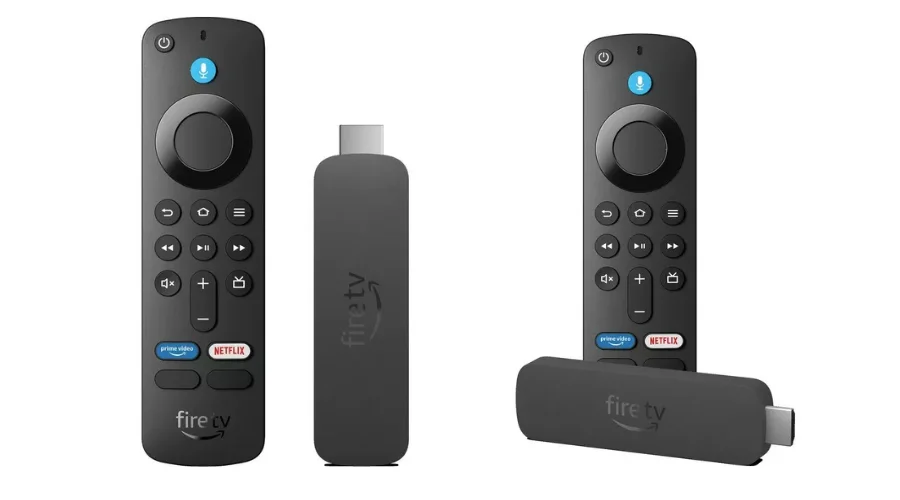
Amazon Fire TV stick has taken over the market and has made it necessary to have a good Firestick Remote to help you navigate through all the interfaces, launch your apps, and search for content. These remotes typically have Bluetooth connectivity and not infrared and are easier to work with. They also have a dedicated “Alexa button” which can trigger Alexa to intercept voice commands. If you are looking for a good remote for your Fire TV, here are a few good options that you can go for. We will also help you understand the connecting, troubleshooting, and usage process to navigate through the Fire TV ecosystem easily.
How to Connect a Device to a Firestick Remote
- Press and hold the power button on the remote to turn the stick on.
- If you successfully turn the remote on, it will prompt a flash and flicker of a blue light.
- Once on, your screen will receive a pop up that your remote has connected to your device.
- If any problem persists in any of these steps, you might need to unplug your Firestick device and reconnect again.
- If this still does not work, take out the batteries of your Firestick and attempt to reconnect.
- Press and hold your Home button again.
How to Add a Firestick Remote to Your Device
- Go to “Settings” on your screen.
- Choose the option “Controllers and Bluetooth Device” from the many setting options. panes. This process can only be followed if you already have access to a remote that is connected to your TV.
- You’ll see three connection options next on most devices. Click on “Amazon Fire TV Remote”.
- Next, click on “Add New Remote”. Your device will now start scanning for a new remote to pair with.
- Press and Hold down the “Home” button on your Remote till the time your device gets recognised.
- Press “Select” on the device that has been recognised on your screen.
- The connected remote shall reflect on the devices list on your TV.
Lost Your Firestick Remote? Here’s What To Do
- A great option to use your TV if you lost your remote would be to pair it with your mobile phone or tablet.
- Firstly open the Amazon Fire TV app on your choice of device- be it a phone or tablet.
- Find and choose your FireTV device or click on “Add device”. You might need to log in again if you cannot access this information.
- Enter the PIN you had entered upon setup to use your phone or tablet as a remote.
- Follow through the same process as you would have to Add a new Remote to your Firestick.
Can I Pair a Non Firestick Remote
Yes, and no. You will always need a remote even if it’s non-firestick to be compatible with your device. This is because Amazon does not necessarily acknowledge all remotes to be compatible. You can only connect specific types of Bluetooth device profiles Advanced Audio Distribution Profile or A2DP, Human Interface Device Profile or HID, and Serial Port Profile or SPP. You can check which type of profile your remote supports from the user manual that comes along. You can also look for specific information to check if the remote is Amazon Firestick compatible.
Top Picks for Firestick Remotes You Can Buy
-
AMAZON HD Fire TV Stick 2024 with Alexa Voice Remote
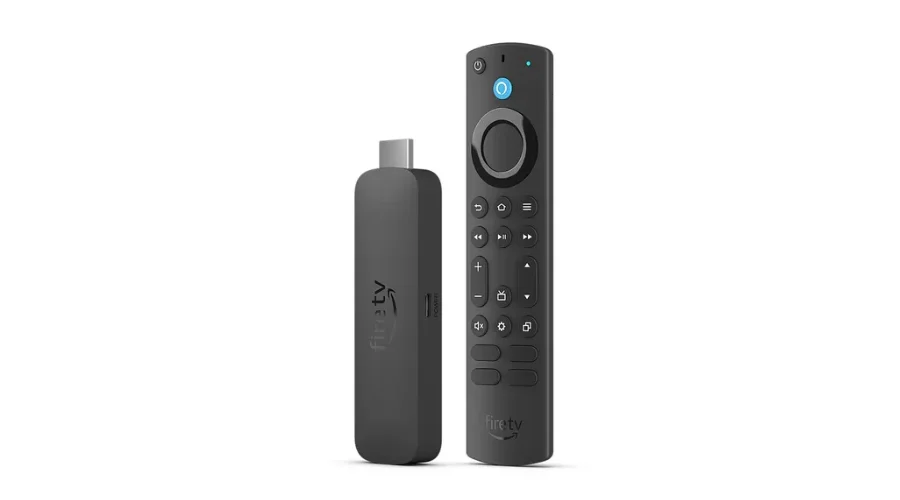
The Fire TV Stick with Remote Bundle provides support for HDR 10+, Dolby Vision and Dolby Atmos for the trifecta of performance, visuals, and sound. The fast processing gives you smooth navigation across its interface. The Fire TV stick also has a grand 16GB storage where you can load as many videos and games as you want. The stick also gives you access to all the streaming platforms you want to access- Netflix, Disney+, Hulu, etc. You can also enjoy access to the free Amazin Freevee service. The accompanying remote gives you a levelled interface surfing and lets you access every setting you want. The remote also has Alexa’s integration which you can use to feed in your commands.
-
4K AMAZON Fire TV Stick 2024 Max with Alexa Voice Remote
The newest Fire TV stick bundle comes with improvements in comparison to its predecessors. The box contains the Fire TV stick along with the Firestick Remote, which also allows you to give commands to Alexa. You also get 2 AAA batteries to start your remote along with a power cable and its adapter and an HDMI extender. The stick provides Dolby Vision. HDR10+, HDR10, and Hybrid Log Gamma (HLG) which supports truly refined visuals. You can even use the stick to play games on the integrated Xbox store with a Game Pass Ultimate.
-
HD AMAZON Fire TV Stick 2024 with 2024 Alexa Voice Remote
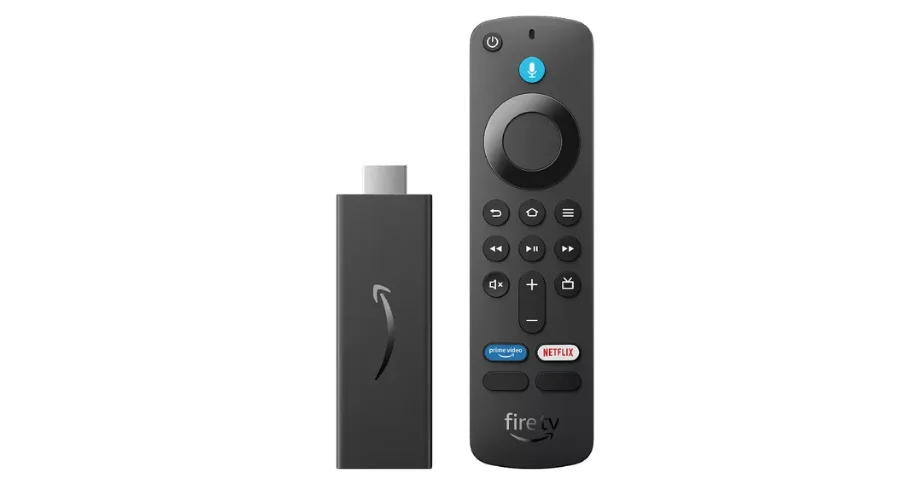
This Fire TV Stick has access to popular streaming services where you can stream hundreds of TV Series, documentaries, and movies. You will need a subscription to platforms like Netflix, Disney+, etc. but the Fire TV Stick can help you consolidate the media of all the apps in a single unit. The accompanying remote has Alexa Voice Control like the other remotes in our recommendations. You can simply put in your command to stream a certain genre of movies and you will get unlimited options on your screen. Use your remote and access any content that suits your mood. You can even coordinate your soundbars and receivers with the same remote!
Conclusion
With the Firestick Remote, you can easily navigate through the interface of your screen and make your general TV watching a far better experience. The remotes have now integrated Alexa’s Voice Commands capabilities to help you give voice commands to all your devices with the press of a single button. Check out our guide to control the Fire remote and find solutions for all your problems in a single spot.
For more such tips and tricks on gadgets and accessories, visit Findwyse!
FAQs