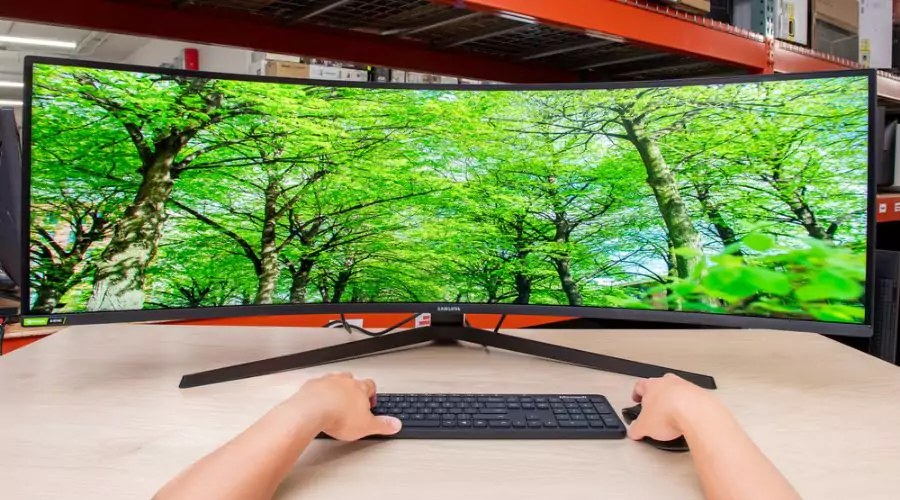
Ultrawide monitors sure up the game! They expand your digital space, making juggling tasks easier and design or gaming activities super efficient. They’ve got a wide view that literally pulls you in. The golden rule? More screen equals better work overview. This Findwyse blog digs into the good and not-so-good bits of ultrawide monitors. It helps you figure out if they’re your perfect match. Plus, we’ll guide you to the top-notch ultrawide monitors on the market, for that awesome experience you want.

What is an Ultrawide Monitor?
Your average monitor gives you a ratio of 16:9, while an ultrawide monitor gives you a high definition 21:9, and that’s what the primary difference between the two is. The extra space allows you to open two windows stacked together for a better overview of your work. In fact, you even get a 32:9 ratio in more advanced super ultrawide monitors– which essentially is 2 average monitors in one.
Why Ultrawide Monitors?
1. Stackable Windows
Since ultrawide monitors provide you about 33% of extra screen space, you can open more windows side by side which makes multitasking very easy as you will not need to switch windows as often. If your monitor is curved, it is even more comfortable for the same work. The typical 34” ultrawide monitor provides you a resolution of 3440×1440 in comparison to the regular 2560×1440 which adds about 1,3 million more pixels. This extra space can be used to reference more emails and documents which all amounts to time conservation.
2. Audio, Video and Photo Editing
The extra space on the horizontal axis of about 880 pixels which allows for editing apps that use horizontal timeline. The timeline is laid out on the lower half of any editing app that shows the audio or video length and any editing that has been made to the video. A larger monitor will allow you to review the timeline of larger projects more minutely. The same may not be too helpful for those who work on the vertical axis like writers, programmers, etc.
3. Cinema Experience
Most movies are made in a wide aspect ratio which means that ultrawide monitors may be helpful for those who spend a lot of their time watching videos or movies.
Ultrawide Monitors and Gaming
Ultrawide monitors allow you to adjust the field of view in your game to create a unique gaming experience. You get a better overview of the playing field, which is better than a 16:9 regular monitor, but there are a few fine prints to the experience.
Monitors do not make the gaming experience better on their own- it requires a balanced function of core technologies. Ultrawide monitors will not result in much performance gain if you do not have enough GPU power. This means that in order to receive the same frame rates as a 16:9 monitor you will need a much higher GPU output. They do increase your field of view and the much talked about “immersion factor”. The increase in the FOV will result in less camera movement which could be advantageous in multiplayer games like online shooting games as you can see more of the arena. Curved ultrawide monitors especially deliver you a viewing experience that is much akin to human’s perception- on a more three dimensional platform and with greater depth.
Read More:- Exploring the Best Samsung 50 Inch TV: A 4K Marvel
Top Picks for the Best Ultrawide Monitors
1. 49″ S95UA ViewFinity Dual QHD Monitor
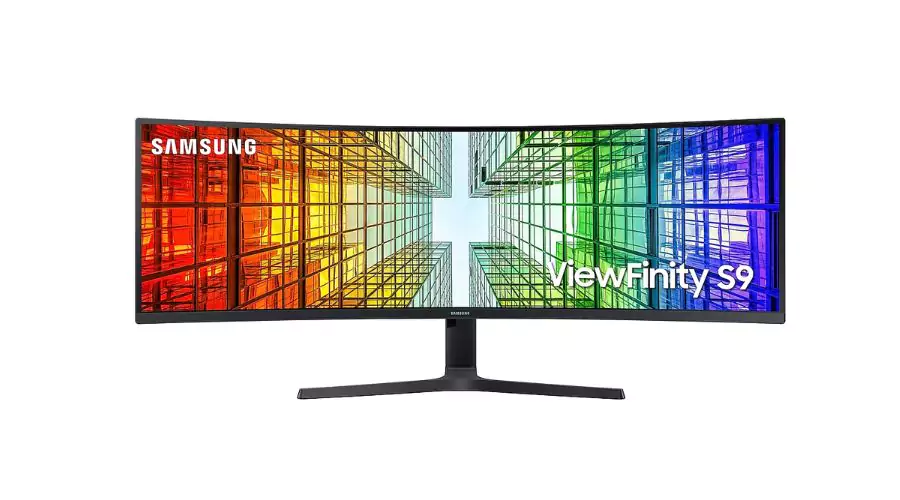
- Resolution- 5,120 x 1,440
- Aspect Ratio- 32:9
- Screen Curvature- 1800R
- Brightness (Typical)- 350 cd/㎡
- Contrast Ratio Static- 3000:1(Typ)
- Response Time- 4ms(GTG)
- Dual QHD & Super ultra-wide screen
- QLED technology
- DisplayHDR 400
- 1800R curvature
- USB Type-C & LAN port
- Versatile connectivity
This stunning ultrawide monitor gives you an enhanced depth that gives you hyper realistic images, with multitasking features on the increased surface area. Samsung is anyway famous for its supreme colours with its QLED technology that delivers more hues than regular monitors. The HDR support also brings a true range of blacks and whites. Darker colours are more intensive while the bright parts are even more dazzling and intense that delivers a detailed resolution.

2. 49″ G93SC Odyssey OLED G9 240Hz Gaming Monitor
- Resolution- 5,120 x 1,440
- Aspect Ratio- 32:
- Screen Curvature- 1800R
- Brightness (Typical)- 250cd/㎡
- Contrast Ratio Static- 1,000,000:1
- Response Time- 0.03ms(GTG)
- OLED visuals
- Immersive experience
- Electrifying Speed
This ultrawide monitor has AMD FreeSync Premium Pro that makes hyper action extremely seamless which is great for fast and complex game actions. The HDMI 2.1, display port and the USB hub allows for multiple connections with other devices. You even get an extra screen with the Picture-in-Picture Mode that eliminates the need for a second monitor for multitasking.
3. 57″ G95NC Odyssey Neo G9 240Hz Dual UHD Monitor
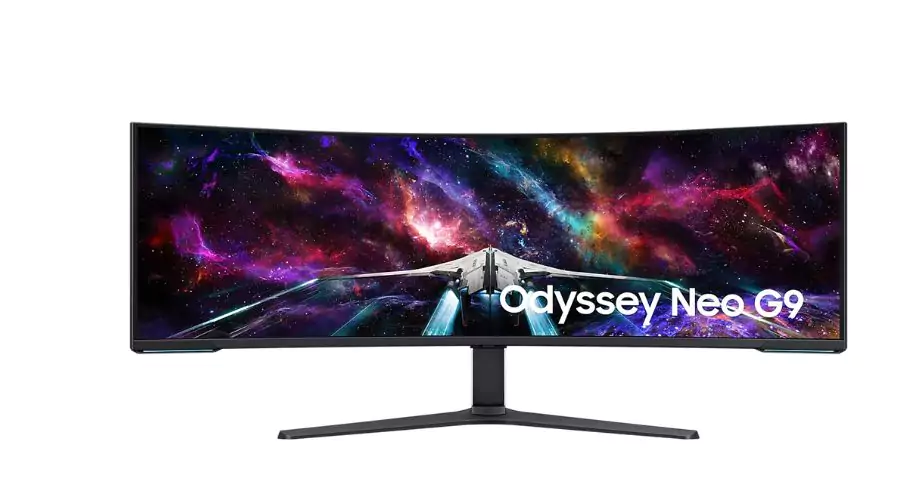
- Screen Curvature- 1000R
- Aspect Ratio- 32:9
- Brightness (Typical)- 420 cd/㎡
- Contrast Ratio Static- 2,500 : 1
- Resolution 7- 680 x 2,160
- Response Time- 1ms(GTG
- Ergonomic Stand
- CoreSync & Core Lighting+
- VESA DisplayHDR 1000
- Quantum Matrix Technology
This ultrawide monitor gives you unparalleled visual experience with its revolutionary Quantum Mini LEDs that gives you a balanced brightness and contrast for the best definition. The 1000R curved screen allows for an intensive gaming experience with good peripheral vision and less camera movements. The dual UHD monitor gives you detailed and pin-sharp images with a vast range of view so you do not miss any of the action.
Read More:- Empowering Women With The Latest Samsung Smart Watch
Conclusion
Ultrawide Monitors are perfect for simulation, strategy, and MMO games with their supreme immersive experience and need for lower storage surface in comparison to dual monitors. They are great for multitasking and can help you minimise the need for constantly switching windows. It is important to remember though that games that are optimised for ultrawide monitors will run smoothly, but games whose aspect ratios do not match the monitor’s, may cause some level of lag. Check out these top picks for best ultrawide monitors by Findwyse on Samsung for the best quality and deals.