Curved monitors are an innovative display technology that provides a more immersive viewing experience compared to traditional flat panel monitors. Instead of a flat screen, these monitors have a subtle angle either concave or convex, wrapping around the user’s field of vision. This design creates a wider field of view and reduces eye strain because the entire screen is equidistant from the eyes. Curved displays can also help reduce glare and reflections.
With a curved monitors that conforms to the natural shape of the human eye, users report increased feelings of immersion along with reduced distortions at the edges of the screen. Major manufacturers like Samsung, LG, Acer and others now offer curved displays as an option alongside conventional flat screens. It aims to provide more engrossing imagery for gaming, movies, and other graphic-rich content.
1. Advantages of Owning a Curved Monitors by Samsung
- Wider field of view – Curved screen wraps around more of your peripheral vision for a more immersive experience
- Reduced eye strain – Consistent distance between eyes and the screen helps focus vision better with less strain
- Deep colours & sharp details – QLED and VA panel curved monitors deliver vivid, accurate colours and crisp definition
- Enhanced gaming performance – High refresh rates up to 240Hz provide ultra-smooth motion clarity for gaming
- Multitasking ergonomics – The wrap-around screen makes edge-to-edge glancing easier for multi-taskers
- More engrossing entertainment – Movies and videos feel more cinematic & engaging on an encircling display
- Reduced glare & reflections – Curved shape dissipates light reflections for clearer images
- Feels more natural – Subtly conforms to the natural curve of human vision
- Contemporary cutting-edge design – Stands out from flat monitors as a sleek, modern display
2. Best Curved Monitors by Samsung
1. 27″ S36C Full HD Curved Monitors
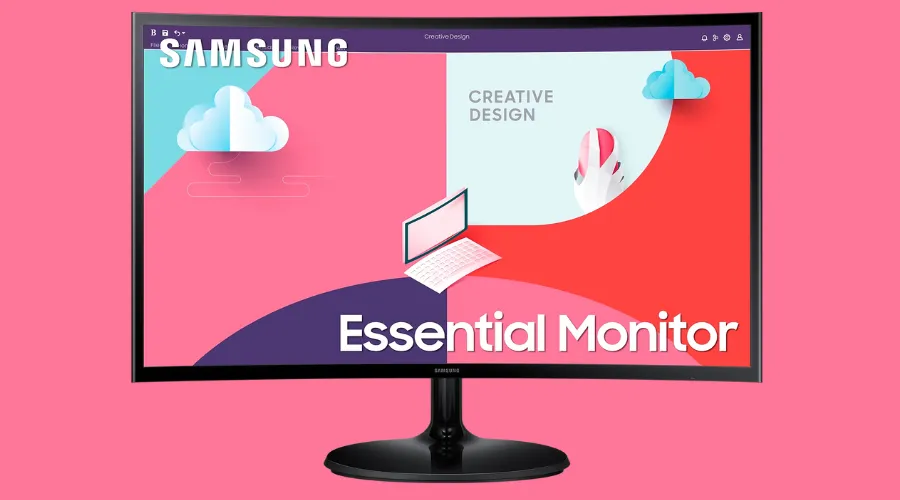
It delivers an immersive Full HD 1920×1080 viewing experience. Its 1800R curvature wraps around your field of vision for deeper engagement. AMD FreeSync support enables smoother, tear-free visuals during gameplay up to the display’s 75Hz refresh rate, while Game Mode boosts colour and contrast for enhanced visibility. With Eye Saver mode to reduce eye fatigue and multiple ports like HDMI and D-Sub for connectivity, the S36C balances productivity and entertainment needs. Its vibrant VA panel and 3000:1 contrast ratio create vivid images as well.
2. 24″ S36C Full HD Curved Monitors
It provides an immersive Full HD viewing experience with its 1800R curved VA panel. AMD FreeSync support enables smooth, tear-free visuals during gameplay up to the 75Hz refresh rate, while Game Mode boosts in-game colour and contrast. Connectivity options like HDMI and D-Sub increase versatility. With Eye Saver mode to reduce eye strain and 3000:1 contrast for vivid images, the S36C is ideal for productivity, streaming and casual gaming usage. Its 250 cd/m2 brightness and 1920×1080 resolution complete the well-rounded profile that balances performance with deepened viewer engagement courtesy of the wrap-around field of view.
3. Samsung 34″ S65TC UWQHD Thunderbolt 4 ViewFinity Monitor
Offering an exceptionally immersive viewing experience, the Samsung 34″ S65TC ViewFinity Monitor wows with its 1000R curved 3440×1440 UWQHD resolution and 21:9 ultrawide aspect ratio. Its extensive connectivity includes Thunderbolt 4, DP, HDMI, LAN port, and a USB 3.0 hub. A built-in KVM switch allows effortless control of two PCs. The VA panel supports one billion colours through HDR10 while AMD FreeSync enables stutter-free visuals up to 100Hz refresh rate. Height, tilt and swivel adjustments cater to ergonomic needs. Intelligent Eye Care modes protect eyes by reducing blue light and screen flickering.
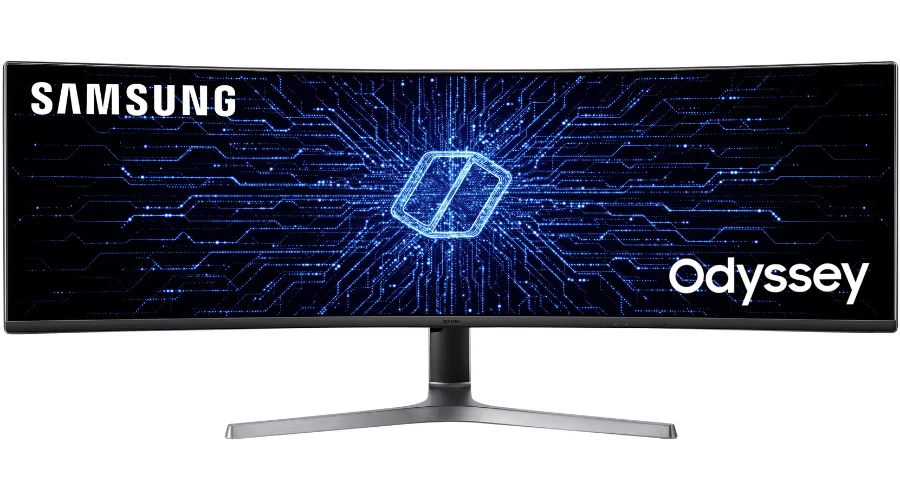
4. 57″ G95NC Odyssey Neo G9 240Hz Dual UHD Monitor
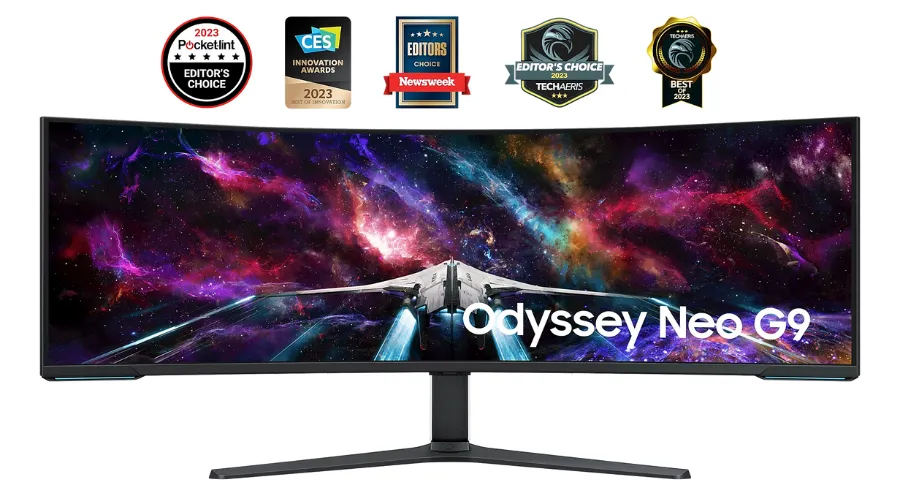
The world’s first 57-inch dual UHD gaming monitor, the Samsung Odyssey Neo G9 wraps users in immersive 1000R curved visuals powered by Quantum Mini LED backlighting. Its revolutionary matrix technology and 2,392 dimming zones output astonishing brightness, contrast and HDR for ultra realistic graphics. With a remarkably fast 240Hz refresh rate and 1ms response time enabled by DP 2.1 and HDMI 2.1 inputs, fast-paced games run butter-smooth. AMD FreeSync Premium Pro prevents stuttering and tearing. Connectivities like PBP and PIP facilitate simultaneous multitasking, while the ergonomic stand enables customised viewing positions. Altogether, the Neo G9 provides a next-level, dual QLED gaming experience.
5. 49″ G93SC Odyssey OLED G9 240Hz Gaming Monitor
The 49-inch Samsung Odyssey OLED G9 Gaming Monitor transports players into expansive 5120×1440 visuals powered by the stellar contrast and vibrant colours of Quantum Dot OLED technology. Its gently-curved 1800R VA panel coupled with a super ultra-wide 32:9 aspect ratio provides unmatched immersion. A remarkable 0.03ms response time and 240Hz refresh rate deliver lightning-fast gameplay, while AMD FreeSync Premium Pro prevents tearing and stuttering. Connectivity options like HDMI and DisplayPort facilitate setup, while built-in speakers provide audio without clutter. Altogether, the OLED G9 provides next-generation cinematic gaming visuals and speed for a transcendent experience.
ALSO READ : Explore The Best Curved Monitor For Your Home
Conclusion
With their subtly curved screens that wrap around users’ fields of vision, Samsung’s innovative curved monitors aim to take immersion, ergonomics and performance to the next level. By matching the natural contour of human sight, the curvature intimately envelops viewers in their work and entertainment while minimising visual distortions.
This design is complemented well by Samsung’s VA, OLED and QLED panels that supply vibrant colours and brilliant luminosity to truly engage users. Fast refresh rates up to 240Hz also facilitate smooth gaming and video playback. Extensive connectivity options enable multi-device setup flexibility. Though still an emerging category, Samsung’s curved monitors look to increasingly intensify user experiences across productivity, gaming and beyond. Their engrossing displays indicate the transformative direction of monitor technology overall.