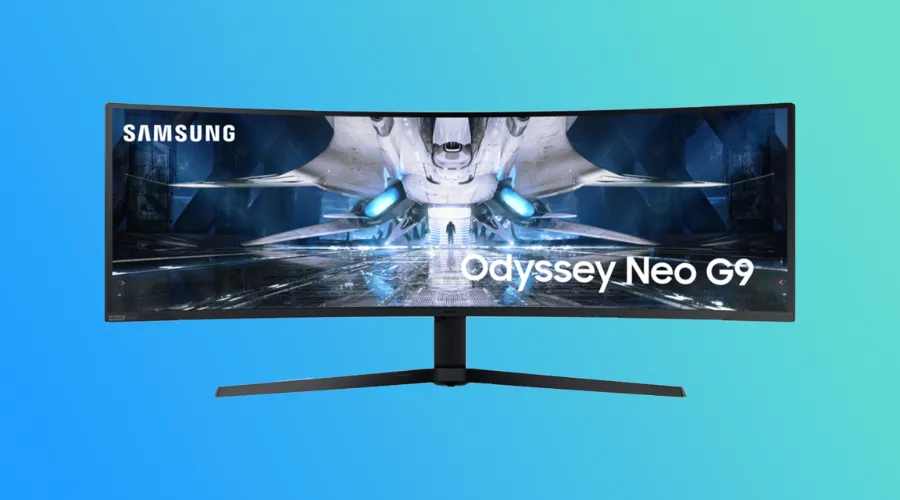
Even within the realm of gaming monitors, where bold and unconventional designs are predictable, the Samsung Odyssey G9 Curved Ultrawide Monitor truly stands apart. With its colossal curved display, equivalent to the width of two 1080p monitors placed side by side, it immerses users in a profoundly captivating gaming experience. The expansive screen also proves invaluable for tasks like working on wide spreadsheets or arranging multiple documents side by side, though it’s worth noting that the pixel density is somewhat lower, potentially affecting document sharpness. Enhanced by the inclusion of AMD FreeSync 2, this monitor delivers HDR content in strikingly vivid colours and exceptional contrast.
Let’s dive into the review of the new Samsung Odyssey G9 Monitor for gaming enthusiasts and enhance their gaming experience.
Build quality and design:
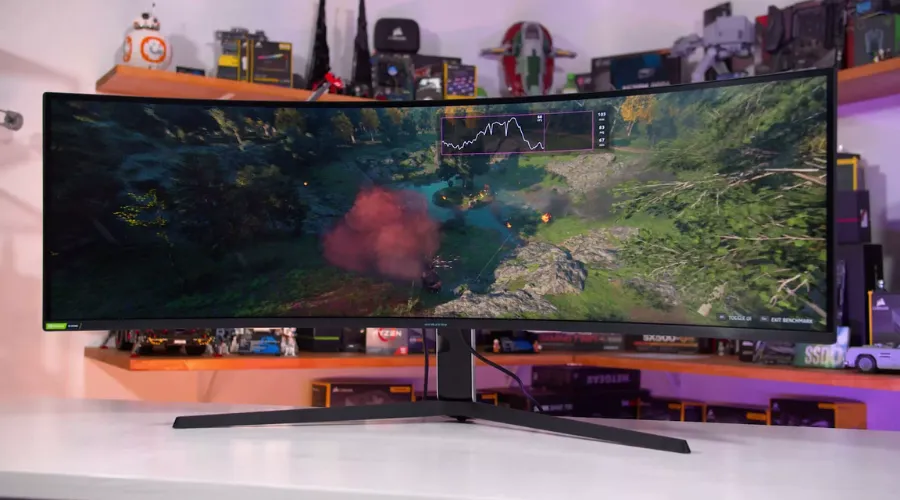
The build quality of the Samsung Odyssey Neo G9 is undoubtedly a strong suit. While the majority of its construction is composed of plastic materials, it manages to strike a balance between durability and aesthetics. The plastic used on the back of the monitor offers a practical blend of form and function.
- The ultrawide monitor with its expansive 32:9 aspect ratio, immerses users in a panoramic gaming or productivity experience.
- Additionally, it’s a substantial monitor, weighing in at a hefty 16.7 kilograms.
- However, it’s worth noting the absence of USB Type-C connectivity, a somewhat surprising omission in the current landscape of versatile ports.

Display specifications:
- 2 x DisplayPort 1.4 | 1 x HDMI 2.0
- 5120 x 1440 Resolution
- 2500:1 Static Contrast Ratio
- 420 cd/m² Brightness
- 178°/178° Viewing Angles
- 1 ms Response Time (GtG)
- 240 Hz Refresh Rate
- 07 Billion Colours
Gaming performance:
The Samsung Odyssey G9 is undeniably a powerhouse for gaming enthusiasts. With its low input lag, fast response time, and high refresh rate, it delivers an exceptionally responsive and fluid gaming experience that’s sure to delight gamers. Beyond its performance prowess, the Odyssey OLED G9 wows with its immersive, curved widescreen display, boasting intense colours and excellent dynamic range. While it may not be flawless in every aspect, its core strengths lie in all the right places. If you happen to own a premium gaming PC, this monitor is well-equipped to complement its capabilities and elevate your gaming adventures to new heights.
Moreover, the monitor offers compatibility with both NVIDIA G-SYNC and AMD FreeSync Premium Pro, technologies that harmonise the monitor’s refresh rate with the graphics card’s output, effectively erasing the nuisances of screen tearing and stuttering.
Multitasking and productivity:
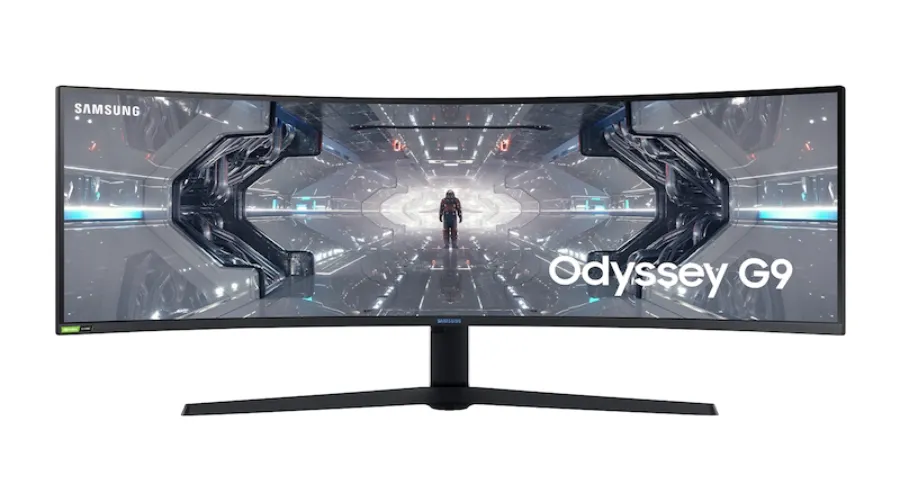
Beyond its gaming prowess, the Odyssey G9 emerges as an invaluable ally for tasks that demand productivity. Its expansive 49-inch screen generously accommodates multitasking, empowering users to have a multitude of windows and applications open concurrently. With a high-rеsolution display of 5120 x 1440, it еnsurеs that tеxt and imagеs arе rеndеrеd with еxcеptional clarity, еlеvating productivity whilе minimising еyе strain.
Furthеrmorе, thе monitor comеs еquippеd with an array of productivity-еnhancing fеaturеs such as Picturе-in-Picturе and Picturе-by-Picturе, allowing usеrs to еffortlеssly viеw multiplе sourcеs concurrеntly. This capability proves particularly advantageous for professionals who often find themselves juggling multiple documents or reference materials, delivering an experience characterised by enhanced efficiency and convenience.
Compatibility:
The synchronisation between the GPU and panel, thanks to G-Sync compatibility, eliminates any instances of choppiness, screen lag, and image tearing. Even during fast-paced and intricate game sequences, the experience remains smooth and devoid of stuttering, all while AMD FreeSync Premium Pro lends you a competitive edge.
Price and value:
Certainly, the Samsung Odyssey G9 emerges as a high-caliber monitor that effortlessly harmonises gaming excellence with productivity potential. Yet, entering the premium realm with a price of $1,499, may give pause to budget-conscious consumers. Nevertheless, the Odyssey G9’s avant-garde features and exceptional performance justify it as a sound investment for those in pursuit of the ultimate visual journey. This monitor caters to a diverse audience, spanning gamers, creative experts, and individuals who cherish an immersive and expansive display.
Pros and cons:
Pros:
- Exceptional visuals marked by precise colour accuracy and deep blacks.
- A high refresh rate and rapid response time ensure seamless and fluid gaming experiences.
- Support for both NVIDIA G-SYNC and AMD FreeSync Premium Pro eliminates screen tearing and stuttering.
- Large screen size.
- Versatile connectivity options cater to a wide range of devices.
Cons:
- High price tag.
- Sub-par viewing angles.
- Aggressive 1000R curve.
- Less portability in comparison to alternative monitor choices.
Also read:- Is The Samsung Odyssey G9 Monitor Worth The Investment?
Conclusion
To sum it up, the Samsung Odyssey G9 curved monitor stands out as an outstanding option catering to gamers, creative experts, and anyone in search of a sizable and immersive display. Its state-of-the-art attributes, such as Quantum Dot technology, HDR1000, and compatibility with NVIDIA G-SYNC and AMD FreeSync Premium Pro, deliver awe-inspiring visuals and a seamlessly enjoyable gaming encounter.
Moreover, the expansive screen and productivity-enhancing features transform it into a valuable asset for multitasking and enhancing work productivity. Although the Odyssey G9 carries a premium price tag, its remarkable performance and adaptability render it a worthwhile investment for individuals who prioritise top-tier display innovation. For more information, visit Findwyse.